Creating Data Relation Rules Using a CSV File
Import from CSV file loads relations from a pre-defined or exported CSV file that describes which tables and columns are related.
Advantages, Disadvantages and Usages
Advantages
-
Allows you to define relations that are not present as foreign keys in the database.
-
CSV can be prepared or reviewed by domain experts outside XDM.
-
Useful for cross‑database or cross‑schema relations that the DBMS does not know.
-
Useful for a large set of relations
Importing Data Relation Rules from CSV File
For creating the data relation rules with a pre-defined CSV file:
-
Download this CSV file
After downloading the file, go to Application Models in your already created HR Application.
-
Click on your version V1. You should now be on the following page:

-
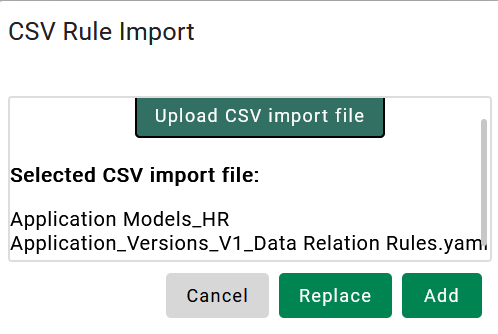
Click on CSV Import and select the file you downloaded.
-
-
After selecting the file, the screen should look like the example above. Now, click on Add. The data relation rules will now be added.
Click here to go back to the Tutorial