Using workflow templates and workflows
After you have created several tasks in XDM you can manually execute them repeatedly. However, there is usually a point at which you want to automate these executions. There are various reasons to do so. For instance, it might be necessary for certain tasks to automatically run one after the other. One might also wish to be able to create a task dynamically, based on the results of a previous task. However, to determine the parameter values, a hook must be called, which should transfer its results to a new task run. To model these possibilities in XDM there are workflow templates and workflows.
Workflow essentials
A workflow consists of a descriptive name and the code as a central element. The code is written in JavaScript syntax and there is an API that offers the possibility of addressing various other XDM elements. Specifically, you can:
-
execute tasks
-
execute other workflows
-
execute hooks
-
parameterize task templates and create tasks implicitly
-
parameterize workflow templates and create workflows implicitly.
How exactly the different objects can be addressed is explained in the object reference for workflow templates. Information on available methods can also be found in this document.
For useful examples for using workflows refer to the workflow section of the Useful Examples.
In addition to the possibilities provided by the API, all JavaScript functionality, including conditions and loops, is available to be used in the script to transform and format parameter values.
|
Calls to external services and complex technical logic should be
avoided in workflow code. The background here is that when saving a workflow, the code is executed test-wise with the help of mocks. If any external interfaces are called in the workflow code, e.g. rest calls, these are not replaced by mocks, but actually called. This can cause the save to take a very long time. A hook call is recommended for these cases. |
// Get the customerId for the specified customer if the name starts with 'A'
if (nameParameter.startsWith('A')) {
    HookRunner()
        .hook("selectCustomerIdHook")
        .parameter("customerName", nameParameter)
        .run();
}

try {
    TaskRunner()
        .taskTemplateName("ArchiveOldAddressData")
        .taskName("Task_1")
        .run()
} finally {
    // run always, even if the task above fails
    var cities = ['London', 'Paris', 'New York'];

    for (var i=0; i < cities.length; i++) {
        TaskTemplateRunner()
            .taskTemplate("AddressCopy")
            .parameter("city", cities[i])
            .run();
    }
}
Workflow templates and workflows
A workflow is always based on a workflow template. This is analogous to the relationship between tasks and task templates. Every workflow template requires at least one workflow to be able to be executed. A workflow template can contain any number of parameters in the form of custom parameters, which may have default values, though this is not a mandatory requirement. All parameters without defaults must set explicitly in the workflow. Parameterization offers the possibility of individual execution options for multiple workflows in a template. The workflows can also be created dynamically by calling parameterized workflow templates from other workflows, from the data shop, or through an external call.
Workflows, hooks, and modification methods
There are various objects within XDM that incorporate JavaScript or Groovy code. These include workflow templates, hooks, and modification methods.
Modification methods are always used within a task execution. They are called for each row of a copied table in accordance with the modification rules which invoke them.
Hooks are intended to address specific external operations on databases or web services, in order to trigger operations or to be able to obtain information for further task runs. Hooks can be used in task templates, before or after individual stages. They can also be called by workflow code.
Workflows always describe a sequence which defines both the order and the conditions under which the execution of tasks, hooks, or other workflows should take place. Calls to external services and complex technical logic should be avoided in workflow code. A hook call is recommended for these cases. The API utility functions provided by XDM for workflows and hooks are based on this distinction. They offer the appropriate tools for the respective context.
Using the data shop and custom parameters with workflows
Used in conjunction with the data shop, workflows enable fully automated provision of test data. By specifying a few input parameters, the user of the data shop can make a request for test data, which is then carried out by a workflow that covers the individual requirements.
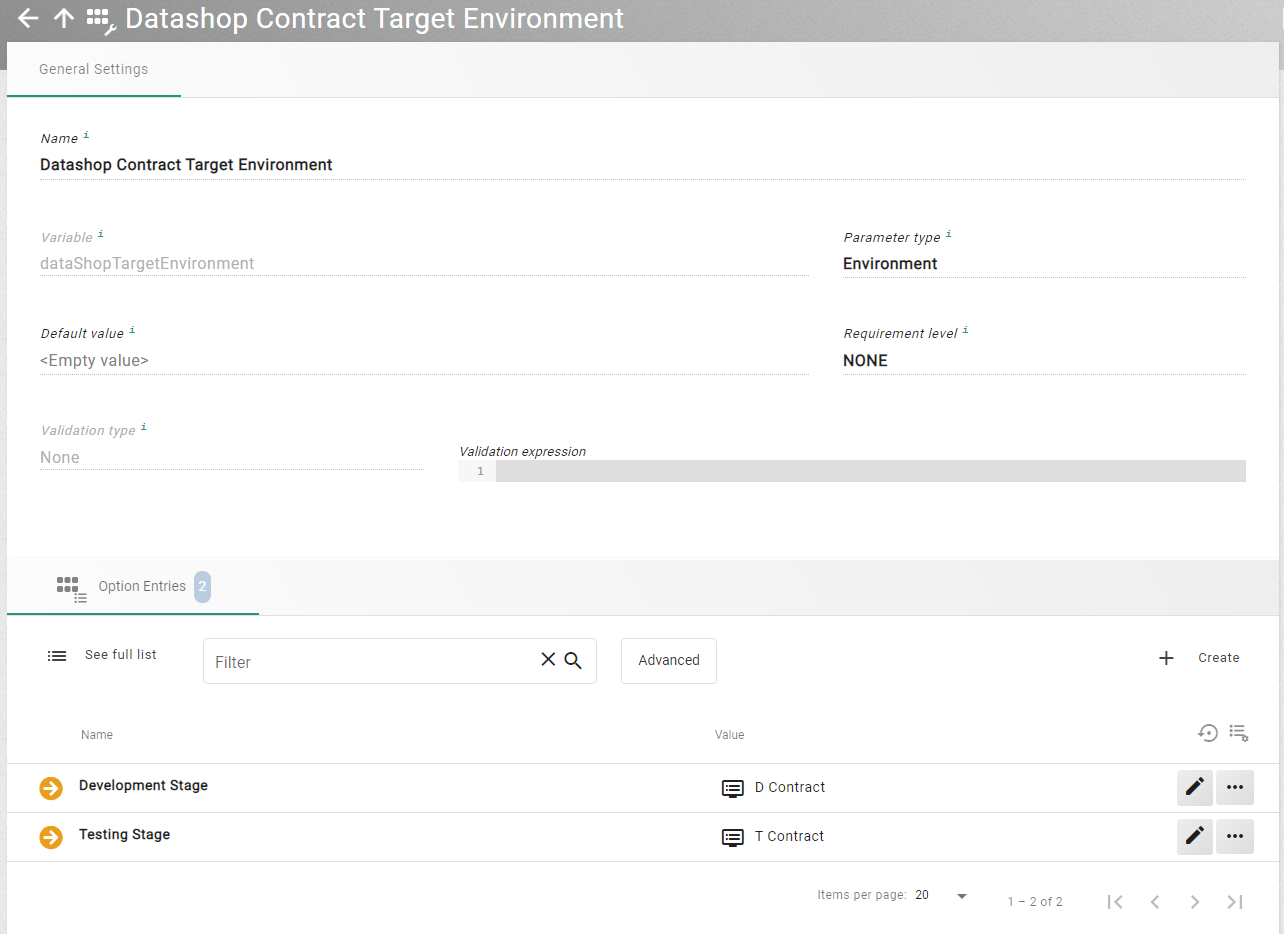
Such requirements can be implemented in a workflow with parameters. If parameters based on object selections are used, such as connections or environments, it can be helpful to limit the selection set for the data shop. For this purpose, a custom parameter of that respective type is created, and only those connections or environments that should actually be available as source or target are entered under Option Entries.
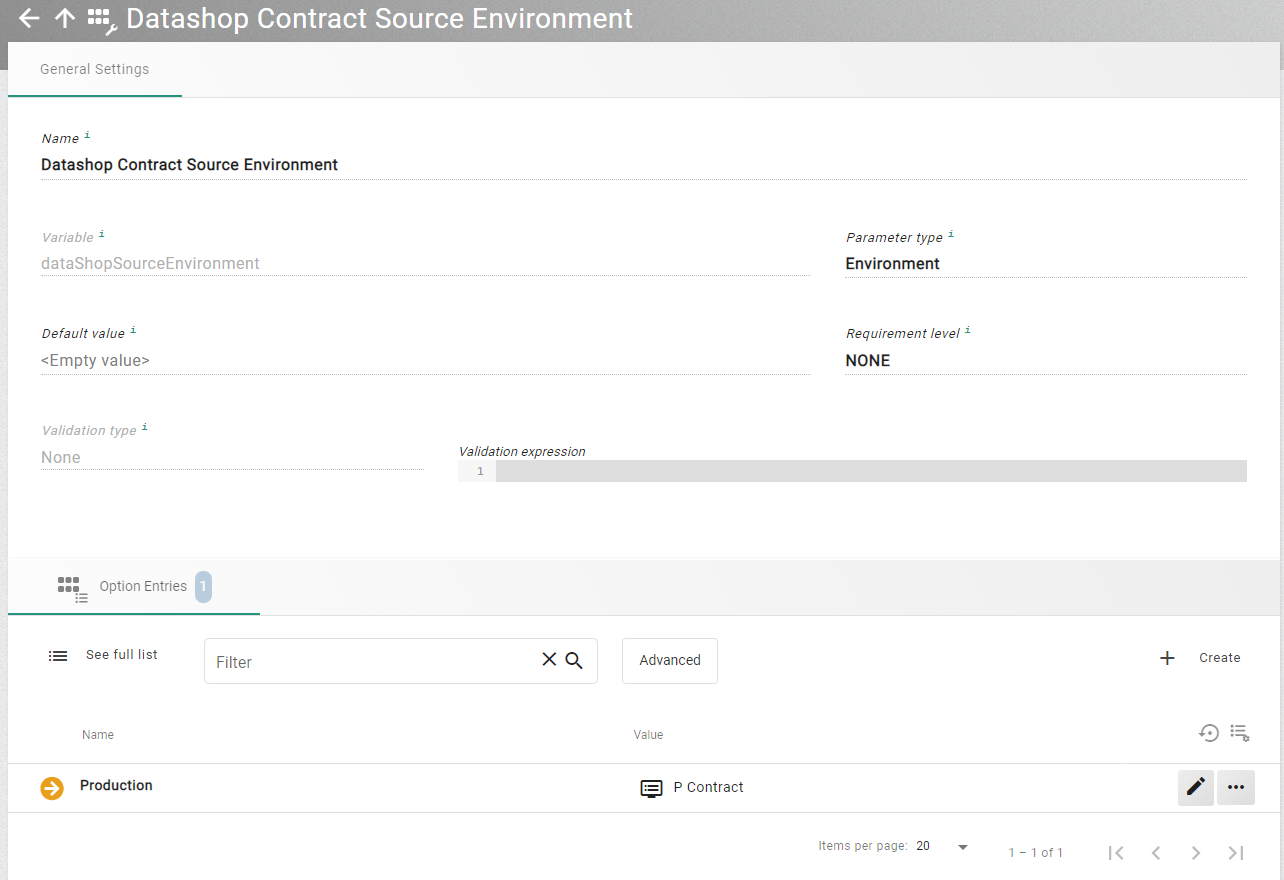
A separate custom parameters must be specified for source and target.
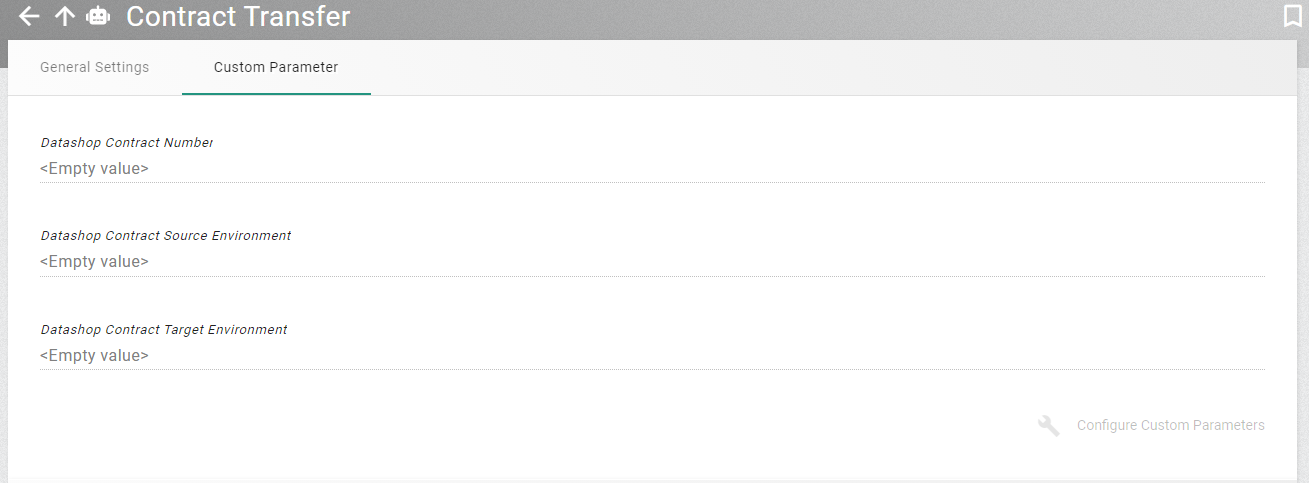
The two custom parameters can then be used in the workflow and added as necessary parameters in the data shop request.
In the script itself, the parameters are used under their technical name, and can be used to parameterize task and workflow templates.
The first steps in such a workflow are usually validations of the transferred parameters. Through the use of regular expressions, the input data from the data shop is already formally correct, but that data can also be checked against real situation data by calling one or more hooks. Typical examples are checking the usability of the data or checking the quantity of data ordered.
The usability can be restricted because, for example, the selected target environment is not suitable for the type of data. This might be the case if not all the required applications are set up in that environment. The quantity of data would be checked, because it is possible that too much data would be selected with the selected entry value. In this case you might not want to copy to the target environment without further planning.
These steps should always be mapped as far as possible in individual hooks that have exactly one specific task. A failed test is later displayed in the execution overview, using the title of the hook, and enables the customer to easily review the failed test.
In the following examples, the values for contract and customer are a comma separated list of numeric values stored as a string. By assumption, all task templates are set up to work with this format.
HookRunner()
    .hook("Check related objects")
    .parameter("contractNo", contractNo)
    .run();

HookRunner()
    .hook("Check target environment")
    .parameter("contractNo", contractNo)
    .parameter("targetEnvironment", dataShopTargetEnvironment)
    .run();
After these tests, it is often necessary to complete the data so that simple and correct testing on the target environment is possible. An example of this is that you look for the historical predecessor of an ordered contract and add these to the order quantity.
var completedContracts = HookRunner()
    .hook("Fetch full contract history")
    .parameter("contractNo", contractNo)
    .run();

contractNo = completedCustomers.contractNo;
A workflow often consists of several complementary tasks. For example, the target environment may already contain another set of data, which doesn’t match the data that is about to be copied to it. Hence, we first need to delete the existing data. This can be done using one or more delete tasks. Depending on data characteristics, it may be necessary to run several delete tasks, since only subsets of the data are available in the target. These might not be reached from the current starting point, because data is missing there.
An example would be that one of the people for a contract exists in the target environment, but the contract to be copied does not. A delete task based on the contract would not find that person, as the contract itself does not exist on the target environment and the data path is therefore not traceable. To deal with such a situation it is necessary to first run the extraction in the source until all the numbers involved are known. For this, a row level processor task is executed until stage 2. The individual numbers (e.g. for contracts, persons, etc.) can then be used in individual delete tasks. The row level processor task can then be carried out to the end in order to write the data.
transfer = TaskTemplateRunner()
    .taskTemplate("TransferContracts")
    .parameter("contractNo", contractNo)
    .parameter("sourceEnvironment", dataShopSourceEnvironment)
    .parameter("targetEnvironment", dataShopTargetEnvironment)
    .stages("Stage1", "Stage2")
    .run();

TaskTemplateRunner()
    .taskTemplate("DeleteContracts")
    .parameter("contractNo", transfer.actualContractNo)
    .parameter("environment", dataShopTargetEnvironment)
    .run();

var finder = HookRunner()
    .hook("Find matching customer environment")
    .parameter("contractEnvironment", dataShopTargetEnvironment)
    .run();

TaskTemplateRunner()
    .taskTemplate("DeleteCustomers")
    .parameter("customerNo", transfer.actualCustomerNo)
    .parameter("environment", finder.environment)
    .run();

TaskRunner()
    .execution(transfer)
    .stages("Stage3", "Stage4", "Stage5", "Stage6")
    .run();
After completion, it is then possible to call a hook to notify the requester that the copy has been made.
var completedContracts = HookRunner()
    .hook("Notify requester")
    .parameter("contractNo", contractNo)
    .parameter("environment", dataShopTargetEnvironment)
    .run();

contractNo = completedCustomers.contractNo;
The data shop itself is configured to use the workflow template.
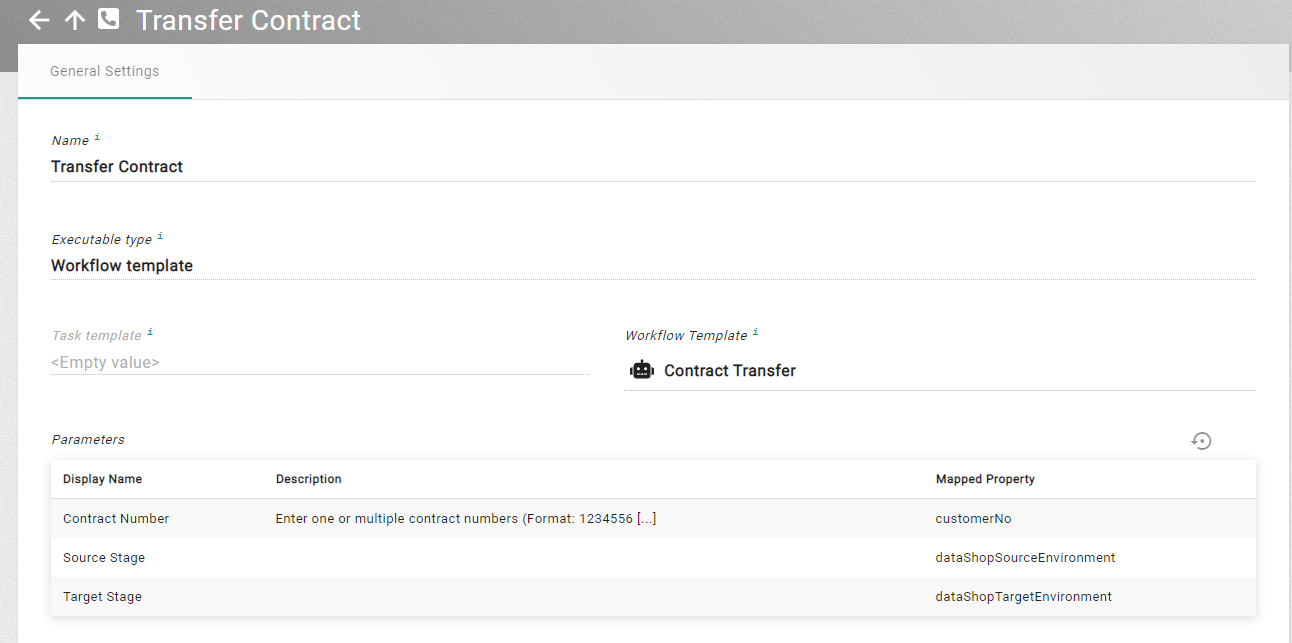
When user now wants to request a contract transfer, it can now be set up as follows:
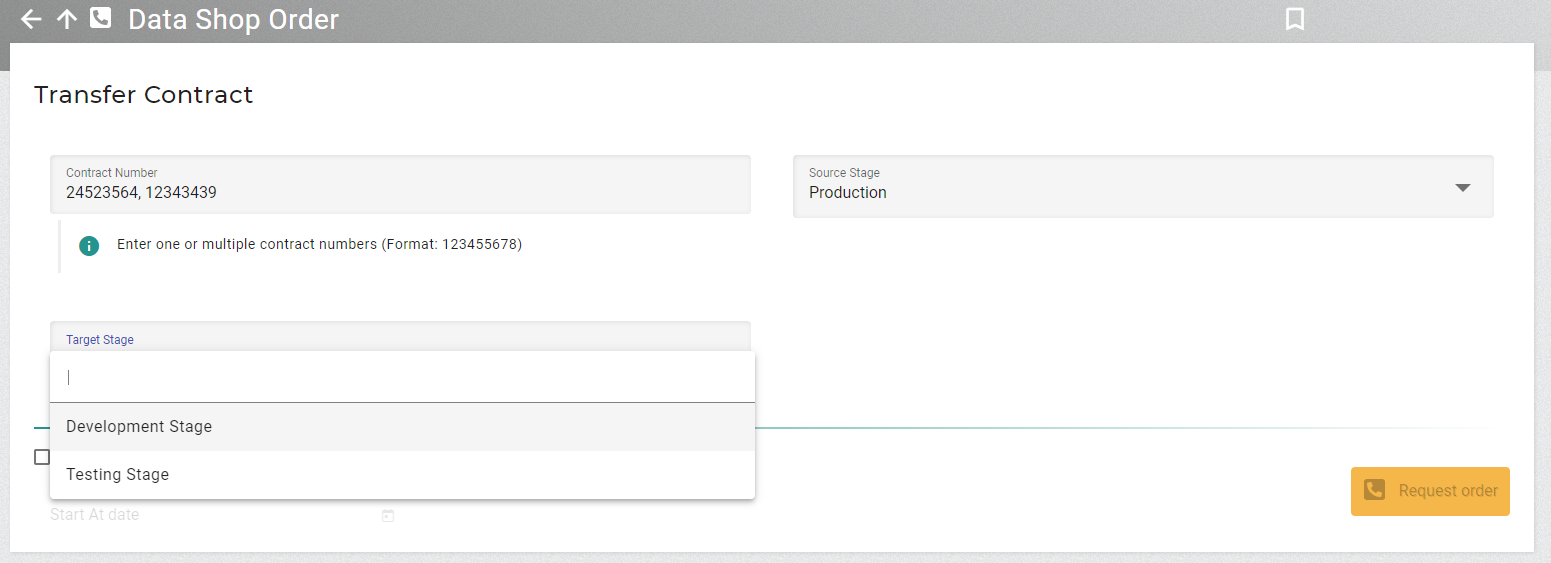
The parameters are used as input for the workflow.
Schedule executions from a workflow
A workflow can be used to schedule the execution of a task or another workflow. This can be done like the following example shows. The timestamp to specify to time to run the workflow on has to be specified in the ISO timestamp format as shown.
def scheduleTime = '2025-07-16T15:00:00'

WorkflowTemplateRunner()
   .workflowTemplate('MyWorkflow')
   .workflowName('Workflow_1')
   .schedule(scheduleTime)
Pass data from a called object to a calling workflow
When a workflow calls another object like a task stage hook, a task or another workflow, it is possible to pass data from the called object to the caller. In the called object the data has to be set like shown in the examples.
Task stage hook to call
def myVar1 = "MyVar1Value"

print("Called task stage hook")
properties.put("myVar1", myVar1)Calling Workflow
println("Calling Workflow")

def calledWorkflow = WorkflowTemplateRunner()
   .workflowTemplate('Called Workflow')
   .workflowName('Workflow_1')
   .run()

println("CalledWorkflow.myVar1: ${calledWorkflow.myVar1}")


def calledTaskStageHook = HookRunner()
        .hook("Called task stage hook")
        .run()

println("CalledTaskStageHook.myVar1: ${calledTaskStageHook.myVar1}")


def calledTask = TaskRunner()
        .taskTemplateName("Called Task")
        .taskName("Task_1")
        .run()

println("CalledTask.myVar1: ${calledTask.myVar1}")