What’s New in XDM
Explore the latest capabilities in XDM. From in-app communication to intelligent data handling – this evolving overview highlights how XDM helps you work smarter and stay ahead.
Release 3.26.15
About Page and Version Info
A new About page is now available from the footer in both Consumer and Operator views, so you can quickly find key application details in one place. It shows the current app version, the provider name, and contact information, and the version is also visible on the login screen.
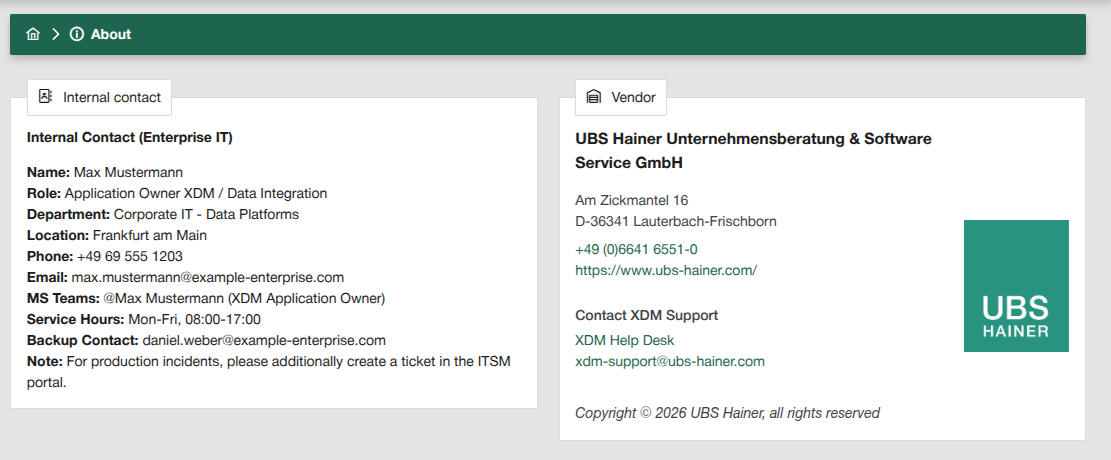
If internal contact details are configured, they are shown separately for easier support lookup. The footer now also includes direct links to UBS Hainer and the accessibility information in the handbook, each opening in a new tab.
Cleaner Details for Everyday Use
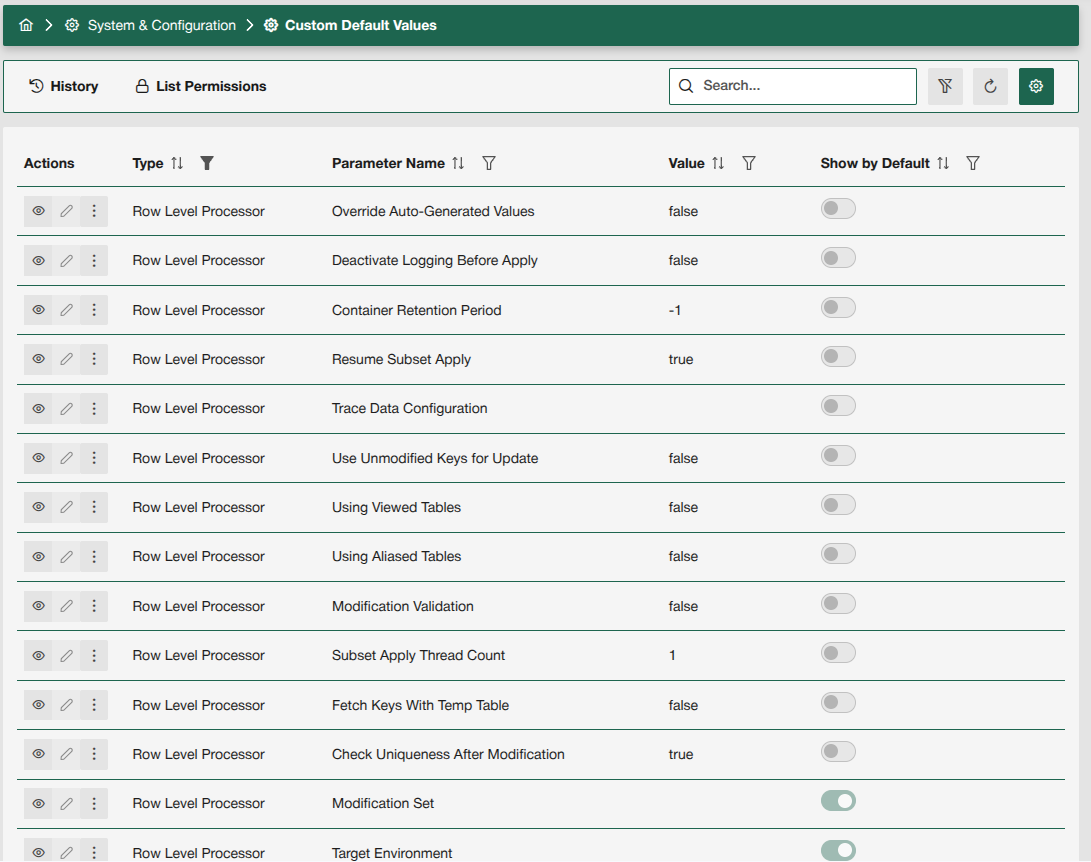
XDM now gives you even more control over object detail screens. With the Custom Default Values feature, you can define which fields are shown by default for task templates, connections, and other XDM entities.
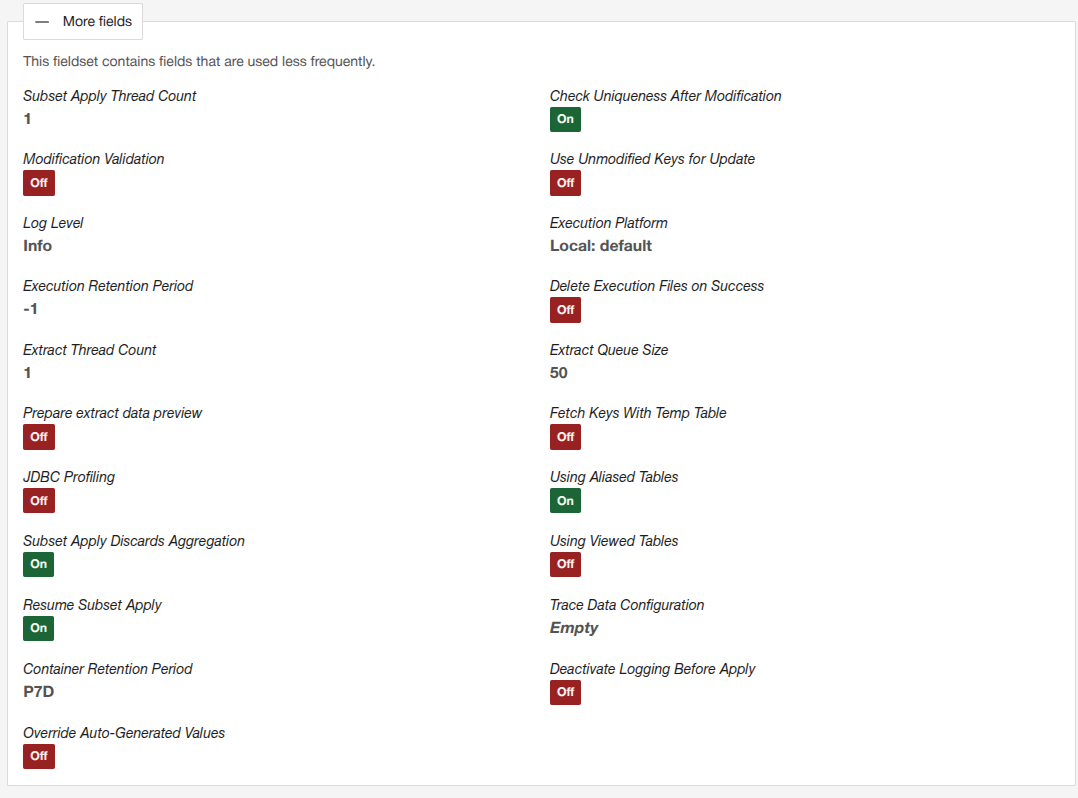
Less important fields are neatly grouped in the More fields section, keeping screens clean and focused by default.
This helps you create a more intuitive experience for your users, so they can quickly find the information that matters most without being distracted by unnecessary complexity.
-
Display configuration
-
Task template view
-
More fields
The Custom Default Values list now gives you a complete overview of all available fields, including their names, default values, and a Show by Default option that you can easily adjust.
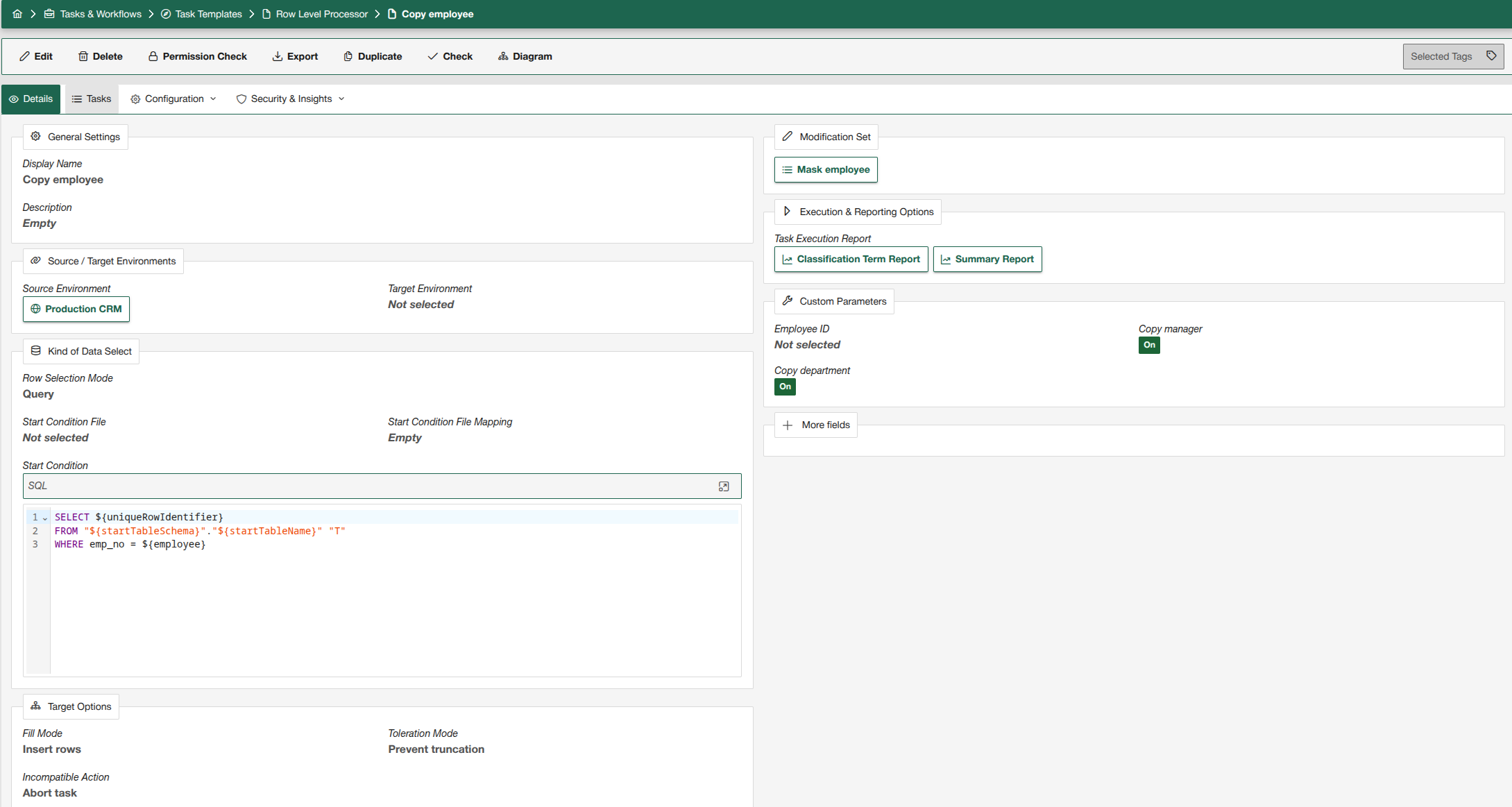
The task template view highlights only the default fields, keeping the interface clean and focused.
Additional fields are hidden by default and can be accessed in the More fields section.
The More fields section reveals all available fields, making advanced information easily accessible for experienced users whenever they need it.
Older Highlights
Announcements – Communicate where it matters most
Announcements in XDM enable you to inform other users about specific information in a central location. It is no longer necessary to share the information about XDM via email, for example. It is possible to display the messages in three different locations: directly on the login page, in the head bar, and on the dashboard. Announcements can be divided into different types: Info, Maintenance, and Error.
For example, if a user wants to inform others that there are currently problems with a DataShop and how to work around them, they can use an error announcement. If you want to announce that the DataShop will be unavailable on a certain day, for example, you can use the info announcement.
Another example is maintenance work. This can be communicated using the maintenance announcement. Users will then see the message directly on the login page and will not be able to log in during maintenance mode. In addition, it is possible to place an information announcement on the login page, for example with details of contact persons.
Should the video not be displayed in your browser, you can watch it directly on YouTube: 
Event System – Automate your workflows
The XDM Event System allows you to automate and extend your test data workflows by triggering customized actions exactly when specific events occur within XDM—for example, when a new request for data order is made. With this feature, you can easily set up automatic email notifications to alert responsible team members as soon as a data order request is placed, ensuring prompt review and approval.
In this video, we’ll show you how to configure such a notification. We’ll guide you step by step through the setup process.
Should the video not be displayed in your browser, you can watch it directly on YouTube: