Using Files in WHERE Clauses
Overview
This guide describes how to use an XDM file object in a WHERE clause.
When the start condition of a task should be based on a list of values, the values can be stored in a file object.
The file content is then used as input for a custom parameter and inserted into the WHERE clause during task execution.
This makes it possible to exchange the list of values independently of the task configuration.
To use a file, it must be added to XDM as a file object.
Steps
Step 1: Create a File Object
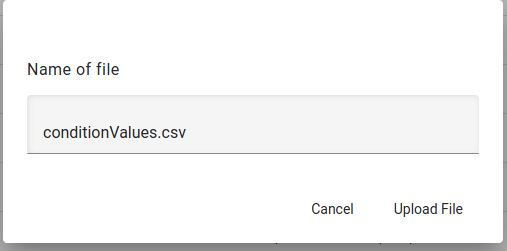
Create a file object in XDM by uploading a file that contains the values for the condition.
In this example, the file object is named ConditionValues.
Step 2: Create a Custom Parameter of Type File
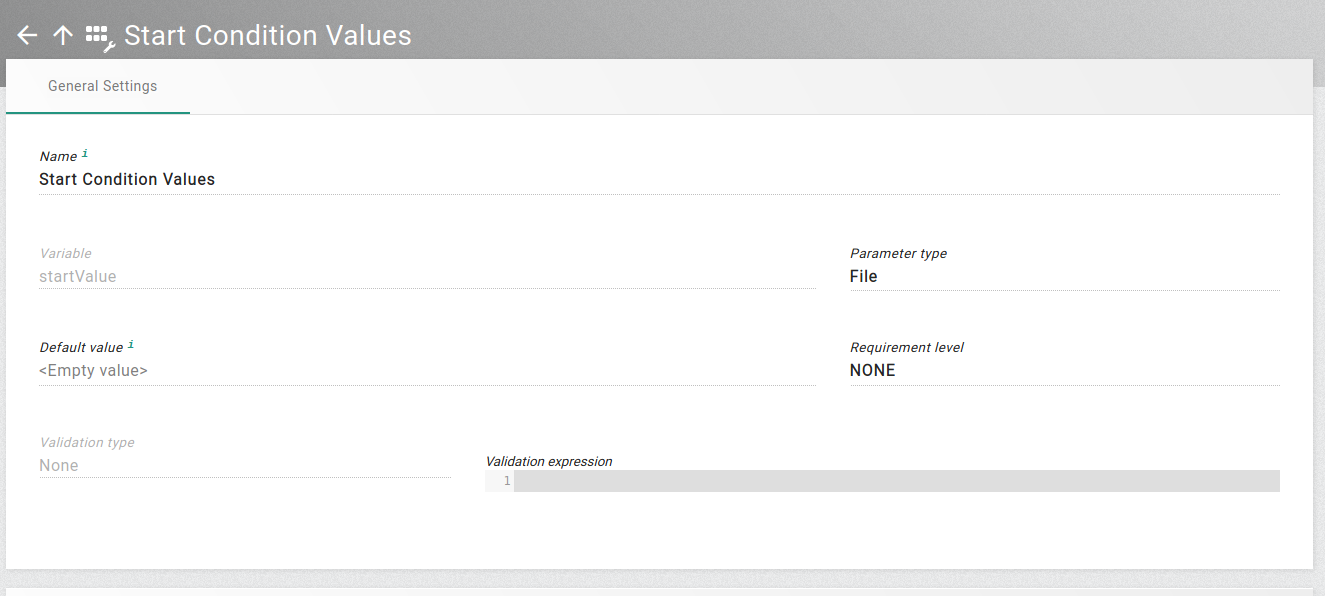
Create a custom parameter that references the file object.
Example configuration:
-
Display name:
Start Condition Values -
Variable name:
startValue -
Parameter type:
File
Step 3: Add the Custom Parameter to the Task Template
Add the custom parameter to the RLP task template where it should be used.
Then create or edit a task of this template and set the value of the custom parameter to the file object ConditionValues.
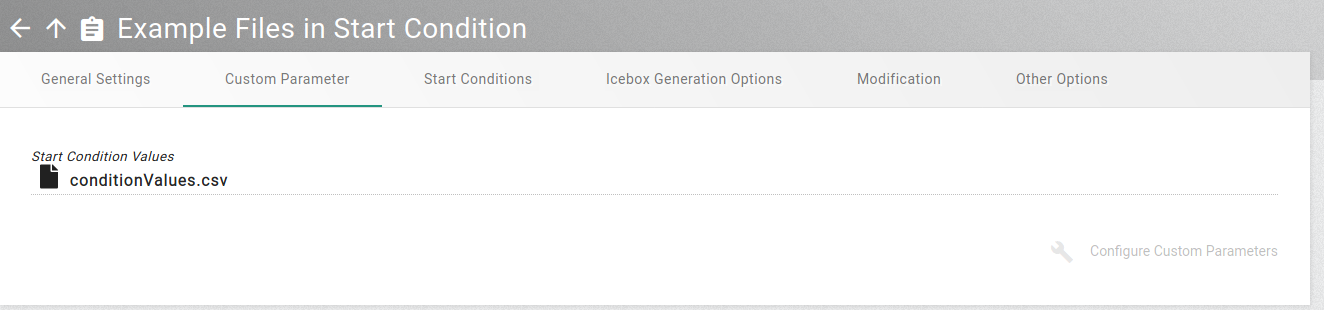
When a file object is used as custom parameter value, the task uses the file content as input value for the custom parameter.
Step 4: Use the File Content in the Start Condition
Use the custom parameter in the WHERE clause of the start condition.
Example:
WHERE id IN (${startValue?split("\n")?join(", ")})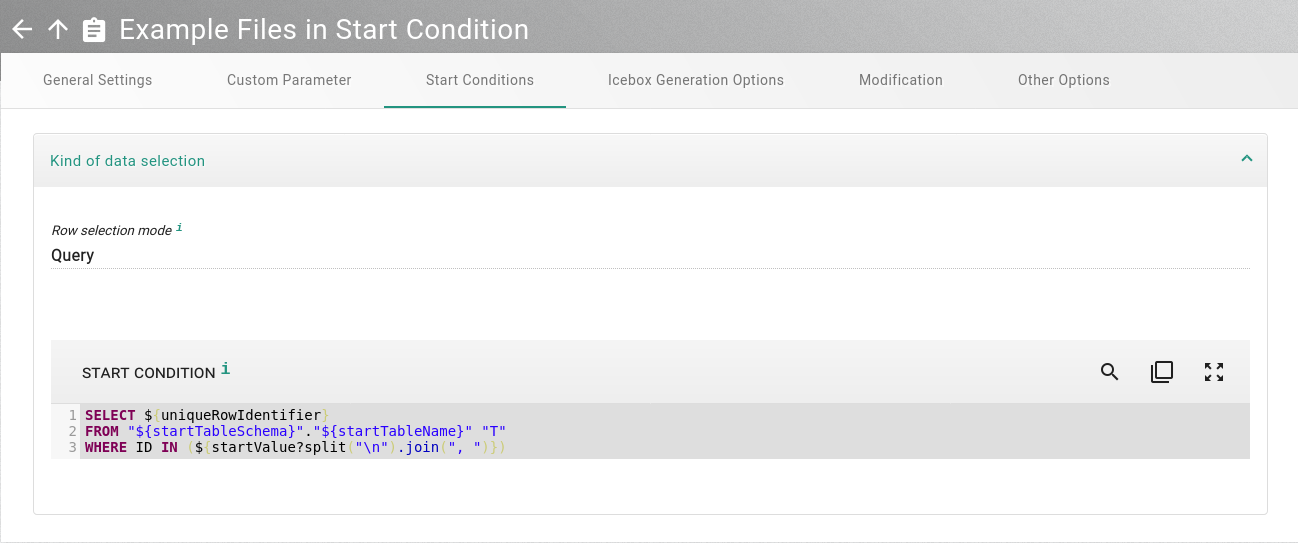
During task execution, XDM replaces startValue with the file content.
The file content is used as a string.
Therefore, functions such as trim, split, or join can be used in the variable definition.
Empty lines and comment lines starting with # or -- are removed during replacement.
Using files in a WHERE clause of a reduction rule works in a similar way.
|
Benefits
This approach provides the following benefits:
-
Lists of values can be maintained independently of the task configuration.
-
The same task template can be reused with different file contents.
-
Large value lists do not need to be entered manually in the start condition.
-
File content can be processed with string functions such as
splitandjoin.
Conclusion
Using file objects in WHERE clauses is a flexible way to provide value lists for task conditions.
By combining a file object with a custom parameter of type File, the file content can be inserted dynamically into the start condition during task execution.
This makes the task configuration easier to maintain and reusable for different input lists.