Purchaser Layout
A purchaser is special kind of user, see also data shop purchaser role. The functions of XDM are restricted for this kind of user. The Layout and the available functionalities are shortened. The intention is to come the characteristics of the DataShop to the fore.
Detail visualization
The detail view of a purchaser in the user interface is structured as follows:
-
Head bar
-
Dashboard
A side menu is not available for this kind of user.
Head bar
The head bar contains the following necessary and clickable information for the user.
-
XDM Logo
-
Username
-
Request Test Data button to request data
-
Announcements
-
Version button
-
User Settings button
-
Switch from/to purchaser layout, button to switch the layout (pure purchaser users haven’t these button)
-
User Manual button
-
Logout button
-
no breadcrumbs as accustomed from the default view

Dashboard
Dashboard which contains among each other lists for
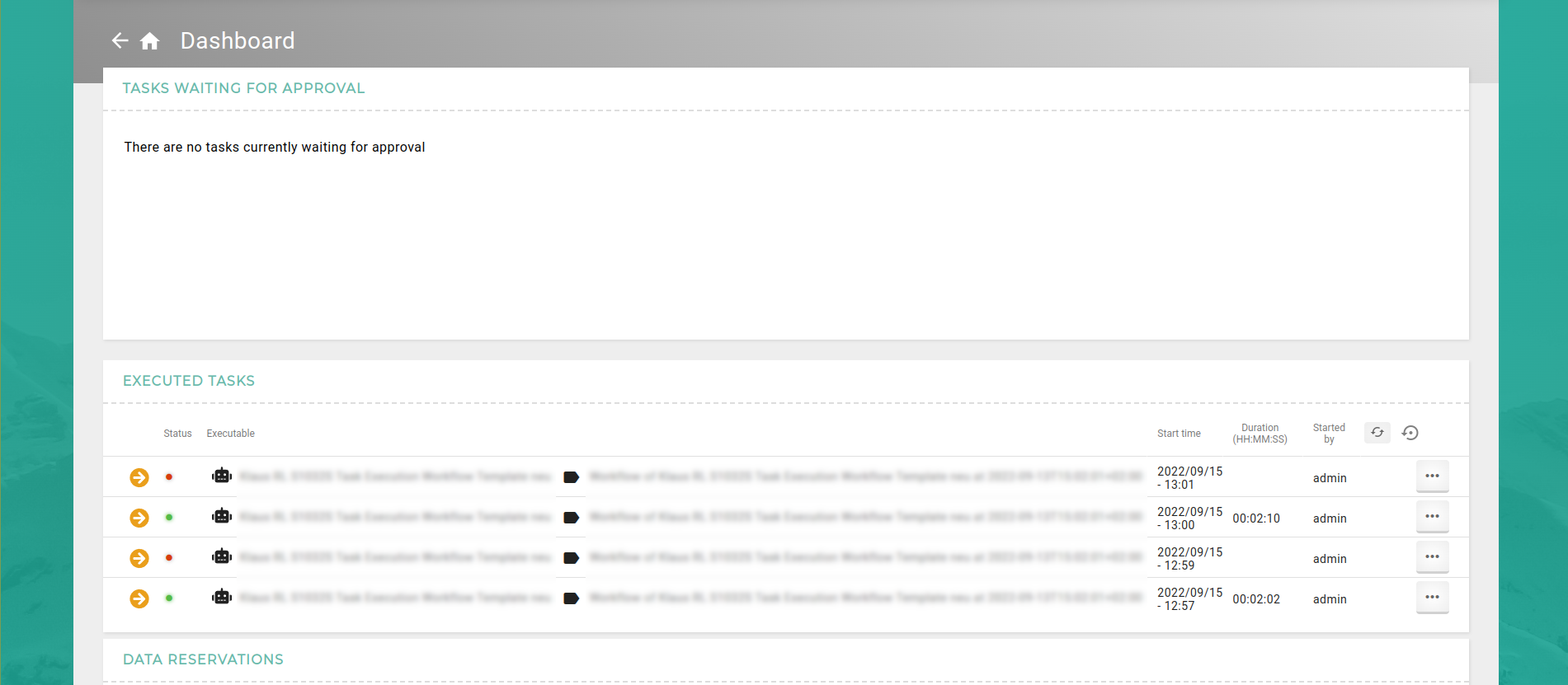
Each list contains five requested elements. Is no data for a sections requested, the list is hide and a hint is displayed. In case of no requested Data reservations, but the user has access to them, the list is replaced by a placeholder.
Navigation with another user
It is possible to navigate to the purchaser layout with another user by using the drop-down menu in the head bar. This drop down menu can be accessed by clicking the circle icon with an arrow pointing to the upper right. Within the menu, select the appropriate option to navigate to the purchaser layout.

To navigate back to the main view, use the "Default Layout" button located in the drop-down menu in the head bar. This button features a shopping bag icon with a cross in the bottom right corner.
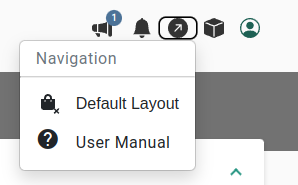
Permission recommendations for the purchaser layout
To use the purchaser layout there a some list and object permissions that should be configured for purchaser users. Especially users in the data shop purchaser role need some minimum permissions to use the data shop purchaser layout.
-
READ permission on the data shop list.
-
READ permission on at least one data shop. Compare the data shop description for more details.
-
If any data shop uses a time window setting, _READ permission on the scheduled task list.
-
If any data shop needs further approval to be executed, READ permission on the requested data shop orders list.
-
If any task triggered by any data shop uses data reservations, READ permission on the data reservation list.
| The purchaser role setting controls if only the purchaser layout is usable for the respective users. Any lists and objects the user has permission to are visible in the purchaser layout via the menu. The visibility of lists and objects is evaluated by the permissions of the lists and objects. |