Using Files in a Start Condition Query
When the start condition of a task should be based on a list of values, it is possible to use a file object in the WHERE clause of the start condition. That way, the file content is used as input for the WHERE clause and can be exchanged independently. To use a file, it has to be added to XDM in a file object.
Using File Objects in a Task
A file object can be used in as file containing the values for a custom parameter.
When a file object is used in a custom parameter, the task uses the file content as the input value for the custom parameter in the task.
To use a file object to define a custom parameter value, perform the following steps:
-
Create a custom parameter with type File,
-
Define a variable with the variable name of the custom parameter at the desired position in the task template or task, and
-
Set the file object as value for the custom parameter.
During the task execution, the custom parameter will be replaced with the file content. The content is used as a string, so functions like trim or split can be used in the definition of the variable.
Example: Using File Content in a Query
We want to use the file content in a query of a start condition.
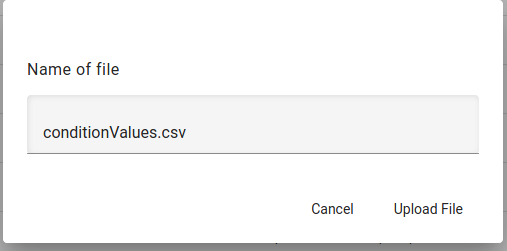
First, a file object is created named ConditionValues by uploading a file with the values for the condition.
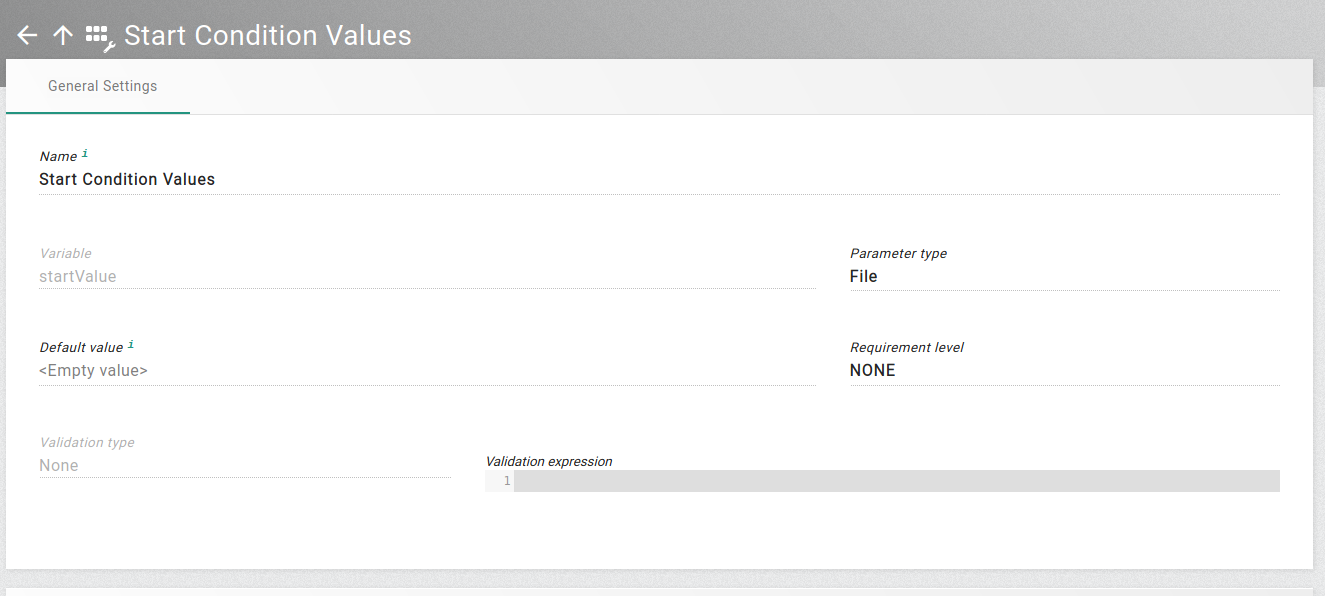
The next step is to create a custom parameter named Start Condition Values with the variable name startValue and parameter type File.
| It is also possible to create the custom parameter first and adding a new file object to the custom parameter afterwards. |
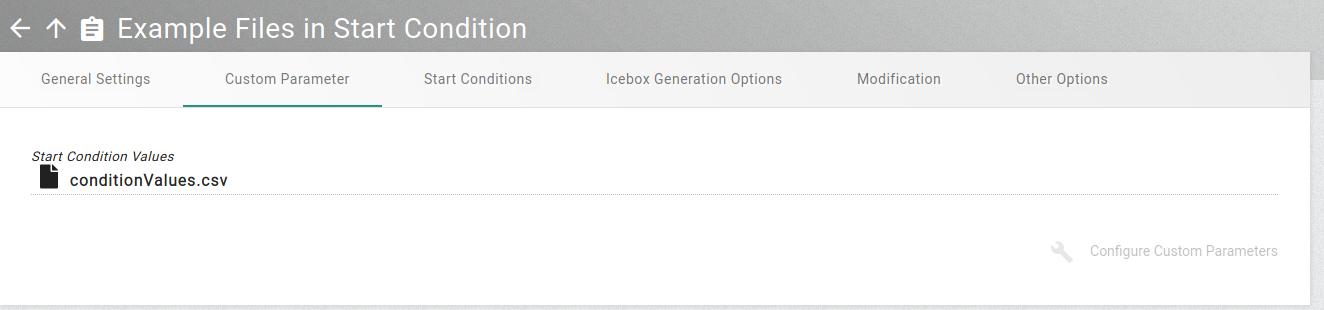
This custom parameter must be added to the RLP task template in which it should be used. The file object is added to a task of this template by setting the value of the custom parameter to ConditionValues.
Furthermore, the WHERE clause in the start condition has to be defined like this:
WHERE id in (${startValue?split("\n")?join(", ")})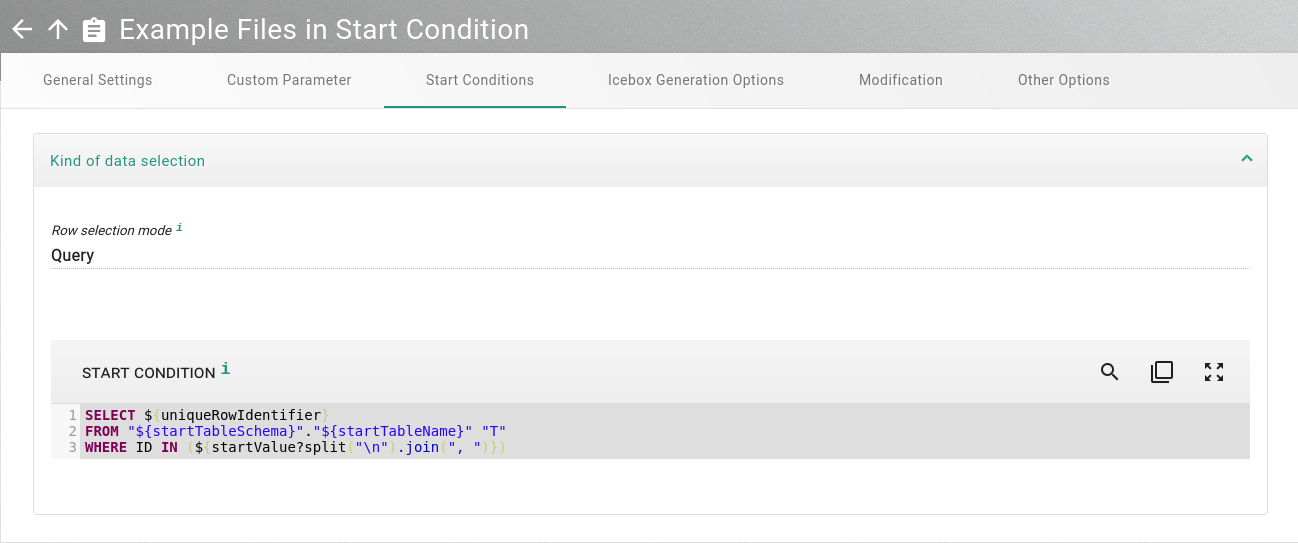
During the task execution, XDM will replace startValue with the file content
and use the file content as list of id values. Empty lines and comment lines
(starting with # or --) are removed during this replacement.
Using files in a WHERE clause of a reduction rule works similar.
|